- Vikko Taruc
- Posts
- You Can Laugh at Overwhelm If You Follow This System
You Can Laugh at Overwhelm If You Follow This System
In the heart of the circus tent, a jester stood.

Vikko
September 15, 2024
Hey mate!
This newsletter is part of a series where I share four essential systems to help you overcome chaos and overwhelm.
Last week, I introduced the first system: “System for Never Forgetting Anything“.
Now we're diving into the second.
If you’ve ever felt overwhelmed by an endless to-do list or struggled to keep up with the demands of your work, read on.
Here’s what we’ll cover this today:
The Story of the Jester
A custom-tailored system, developed over 7 years, to help you manage an overwhelming to-do list.
The core principles behind TaskMaster Pro and how it can help you regain control of your tasks.
What’s coming next week:
How to integrate TaskMaster Pro into your daily workflow.
How to organize your tasks more effectively.
Tips and examples to help you put these principles into action.
This issue is longer than usual.
We’re diving deep into an amazing system that will change the way you work.
So, grab a coffee, get comfortable.
Let’s get started.
In the heart of the circus tent, a jester stood.
He’s surrounded by a whirlwind of brightly colored pins flying through the air—four, five, six at a time.
His smile faltered as he tried to keep up.
One pin dropped. Then another.
Soon, they all came crashing down.
The audience gasped, but this wasn’t part of the act.
His life was much like this performance—too many things up in the air, all at once.
No matter how fast he moved, something was always slipping out of control.
Then, one day, a master jester pulled him aside after the show.
"It’s not about throwing more," the master said, “it’s about knowing when to catch."
But no matter how hard he tried, the tools he’d been given—juggling charts, extra practice time, even more pins—didn't seem to solve the problem.
Why Common Task Management Solutions Fail
Like the jester’s juggling, most task management solutions focus on doing more, not doing better.
They promise productivity.
But often leave us overwhelmed, with too many pins in the air and no clear way to catch them.
Here are the typical solutions many people resort to—and why they often fall short:
Relying on Paper To-Do Lists: It starts out simple, but as tasks accumulate, the list becomes overwhelming and disorganized.
Using Digital Notes Like Paper: Tools like digital sticky notes or simple note-taking apps seem convenient, but they quickly become chaotic as more tasks are added.
Overloading Task Management Apps: While apps offer more structure, many people end up overloading them with too many tasks and projects. Instead of simplifying your workflow, these tools can become just another source of anxiety.
Trying to Memorize Everything: Some people try to keep everything in their head. This approach is a recipe for burnout, as the constant mental juggling leads to forgotten tasks and mistakes
Ignoring Regular Reviews: Even with a decent system in place, failing to regularly review and update your tasks can lead to an outdated, ineffective to-do list.
These pitfalls are all too common.
I’m sure many of us have fallen into one or more of these traps at some point.
The result?
A growing sense of frustration.
You feel that no matter how hard you try, you’re always one step behind.
Back when I was a developer, I found myself in the middle of a storm.
I would scribble my to-do lists on paper, hoping it would keep me on top of things.
But the more I wrote, the messier it got.
My to-do list wasn’t shrinking
It was growing, and fast.
Each day I’d add more tasks than I could complete.
And in the midst of this chaos, I stumbled upon David Allen’s Getting Things Done (GTD) methodology.
It felt like a lifeline.
And this was my favorite takeaway: get everything out of your head and into a trusted system.
The idea was to stop relying on your brain to remember every little detail and instead, focus on taking action.
The results were immediate.
But as great as GTD was, I realized I needed to adapt it to fit my unique situation.
That’s when I started to develop my own system.
TaskMaster Pro: A Personal Task Management System Refined Over 7 Years
TaskMaster Pro was born out of necessity.
I took the core principles of GTD and started tailoring them.
It became my go-to system, evolving with me as my career progressed.
Whether you're leading teams, managing meetings, or simply trying to organize your daily to-dos, TaskMaster Pro helps you stay in control.
And the best part?
It works seamlessly with Notion (we’ll talk about this next week).
You will have a digital workspace that handles everything.
Nothing gets left behind.
It’s not just about having a to-do list—it’s about having a trusted system that works for you.
Why TaskMaster Is For You
Here’s why TaskMaster Pro stands out:
Simplicity: The system is built on three straightforward principles—Take Note, Organize, Take Action—that are easy to implement but incredibly effective.
Flexibility: Whether you’re managing projects, scheduling tasks, or simply trying to remember to send an email, TaskMaster Pro adapts to your needs.
Consistency: Regular system reviews ensures that you stay on top of your tasks and goals, preventing things from slipping through the cracks.
Scalability: From individual contributors to managers, TaskMaster Pro scales with you as your responsibilities grow.
Take Note, Organize, Take Action
At the heart of TaskMaster Pro are three core principles that guide every aspect of the system: Take Note, Organize, and Take Action.
These principles form a powerful framework that can help you maintain control over your tasks and responsibilities.
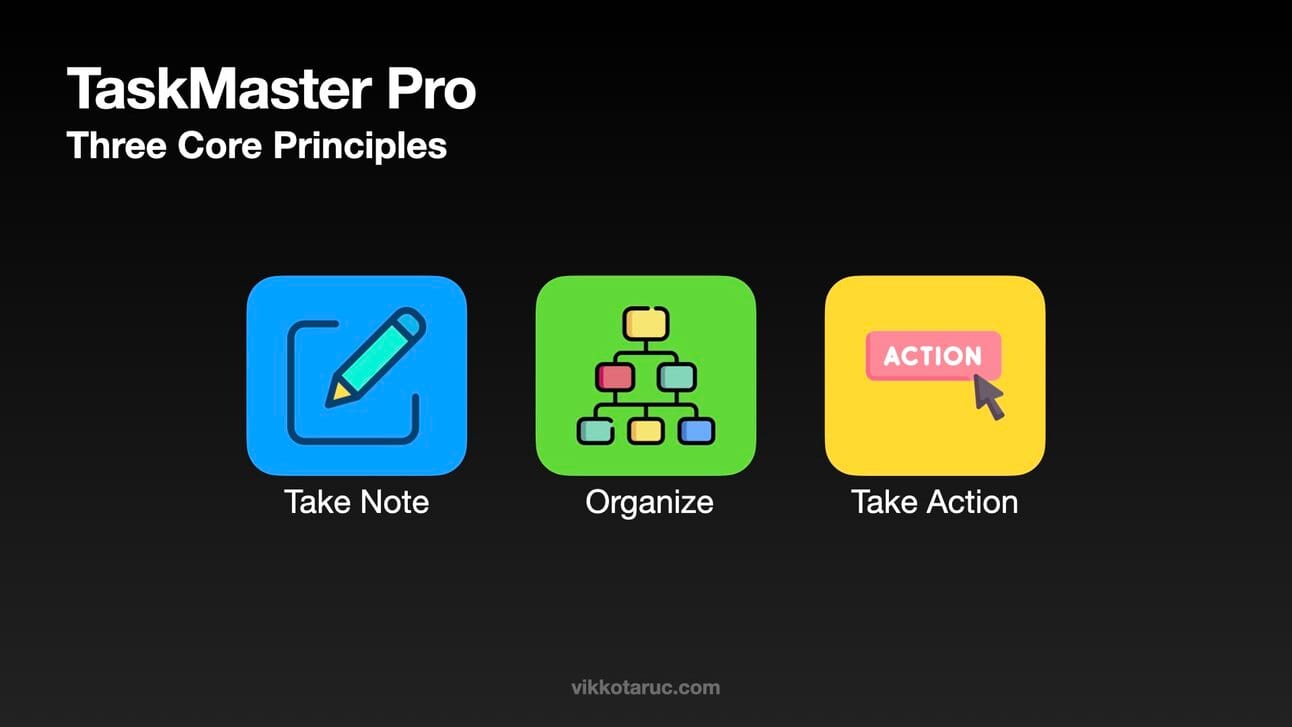
Principle #1: Take Note
The first step in TaskMaster Pro is taking note of everything.
Every task, idea, or reminder that crosses your mind.
During my developer days, I relied on sticky notes and random scraps of paper.
I just got more confused.
So you have to train yourself to immediately record anything that needs your attention in a central, reliable place.
It doesn’t matter if it’s a quick idea, a task that’s due next week, or a reminder to follow up with a client.
The key is to take note it as soon as it comes to mind.
Action Step:
Anytime an idea or task comes to mind, take note.
Don’t let it stay in your head.
Whether you’re in a meeting, driving, or just brainstorming, don’t rely on your memory.
Principle #2: Organize
Now that you’ve taken note of everything, it’s time to organize.
This is where your system really starts to show its power.
Organization gives your ideas direction.
Back in my early days, I would capture everything, but it often stayed in a jumbled list.
The key is to take a little time to categorize what you’ve captured and decide how to handle each item. You’re not just collecting thoughts—you’re creating a plan.
Action Step:
Take a few minutes today to go through your captured tasks.
For each one, ask yourself: What needs to happen next?
If it’s a simple, one-step task like “send an email,” mark it as a quick action.
For more complex tasks—ones that require multiple steps—label them as a project.
Don’t just collect ideas.
Actively transform them into actionable steps.
You’ll know exactly what needs to be done, and the chaos of your inbox becomes an organized roadmap.
Principle #3: Take Action
This is where the magic happens.
Once everything is taken note and organized, it’s time to focus on the most important step—taking action.
Your system isn’t just about sorting tasks; it’s about moving forward with clarity and purpose.
In the past, I used to spend so much time organizing that I’d forget to actually do the work.
That’s why this step is so critical.
The key is to move from planning to doing.
Action Step:
Today, look at your organized list and start with the highest-priority task.
Focus on the next actionable step.
Is it a quick, one-step item? Knock it out.
If it’s a bigger project, block off time to dive in.
Set aside a focused time block to work on it without distractions—whether it’s 30 minutes or 2 hours, commit to it.
By taking action in small, manageable steps, you turn your plans into progress.
You’re no longer stuck in planning mode.
You’re moving forward with purpose
The Final Act: How The Jester Regained Control
By applying these core principles—Take Note, Organize, and Take Action—you’re no “react mode”.
Instead, you’re in control, with a system designed to support your priorities and give you clarity.
Now, let’s go back to our friend the jester and see what happens when he applies this approach.
The jester, once overwhelmed by the frenzy of flying pins and frantic juggling, began to approach his act differently.
Instead of grabbing everything at once, he learned to pause.
The wisdom from the master jester echoed in his mind: "Take Note, Organize, Take Action."
He started by catching just one pin at a time, focusing on each one as it came.
His movements became deliberate, steady.
There was no rush.
Just a calm, methodical rhythm.
The audience noticed.
His act, once a blur of stress and chaos, now flowed with precision and confidence.
Each pin had its moment, each movement its purpose.
No longer juggling for survival, the jester transformed his performance into something almost graceful.
He had found his balance.
The crowd watched in awe, not because of how many pins were in the air, but because of the control he now had over the chaos.
The same principles that helped him manage his act can help you manage your tasks.
Control doesn’t come from doing more—it comes from knowing what to do next.
Thanks for reading!
We’ve covered the core principles today, but next week, we’ll dive into how you can seamlessly apply them using a custom-tailored Notion system.
Keep an eye out for part two of TaskMaster Pro in next week’s newsletter—it’s where everything comes together!
P.S
When you’re ready, there are a few ways I can help:
Feeling unproductive? Book a 1-on-1 productivity strategy call with me (free). Schedule here.
Goals not moving? Get a personalized weekly plan (free). I’ll help you make a weekly plan so help you achieve your goals faster.